The portal
Bifrost’s control plane is driven from a review-first portal: a portfolio heatmap of migration risk, a deterministic risk breakdown per pipeline, a three-pane review where a human approves or edits the converted workflow, and a queue that tracks every pipeline through the lifecycle. Navigation is a left rail — Workspace for day-to-day review, Settings for connections and routing.
Portfolio heatmap
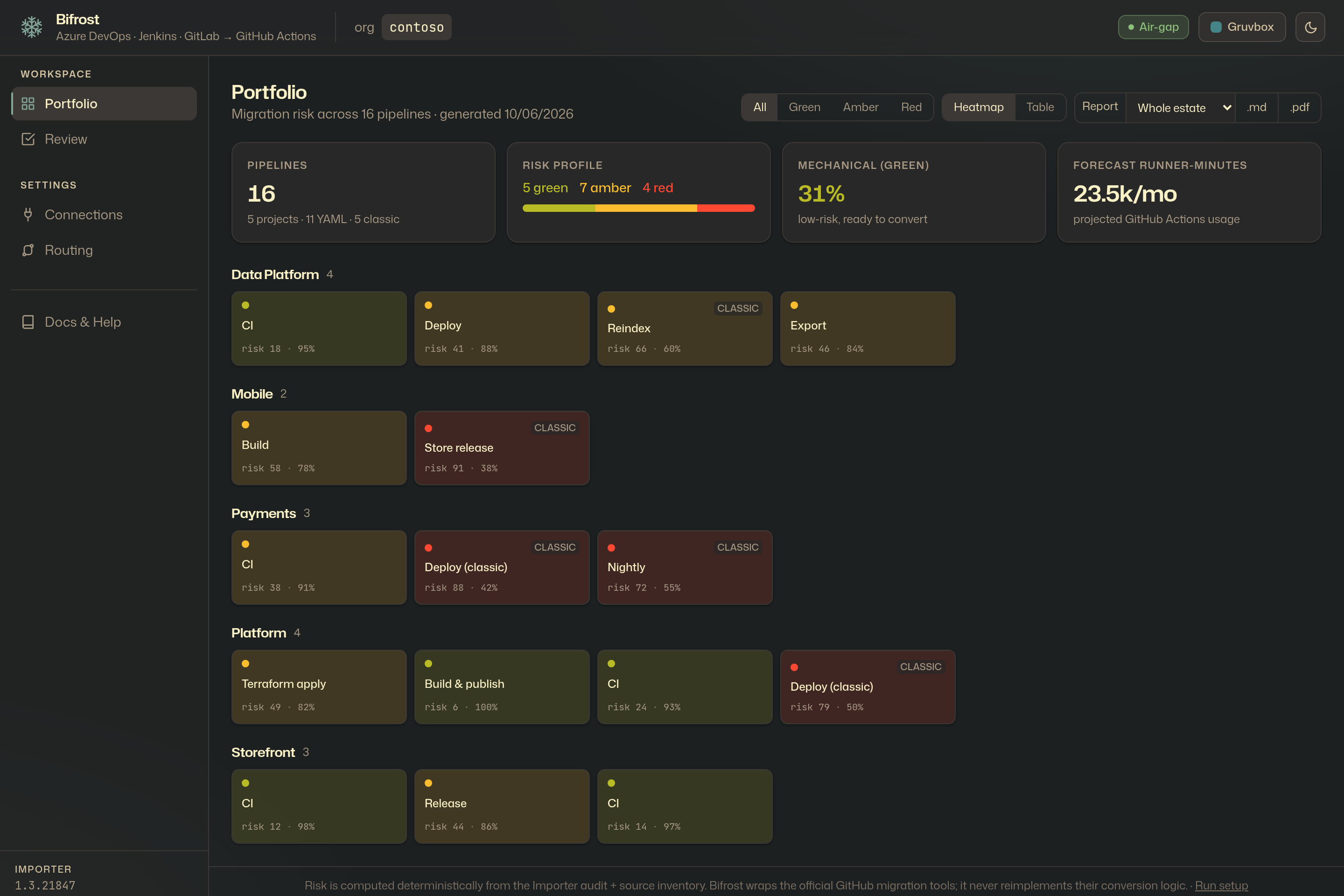
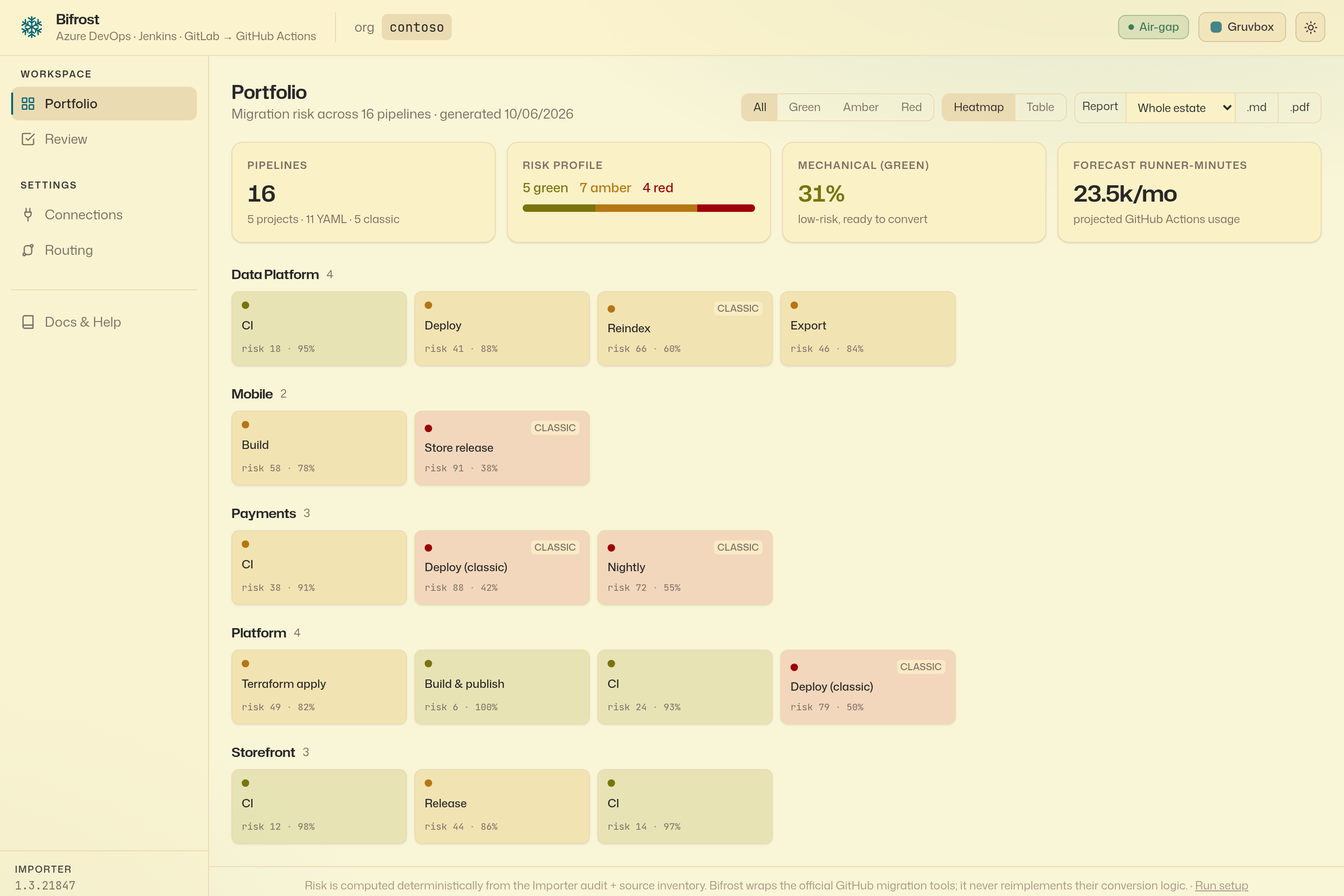
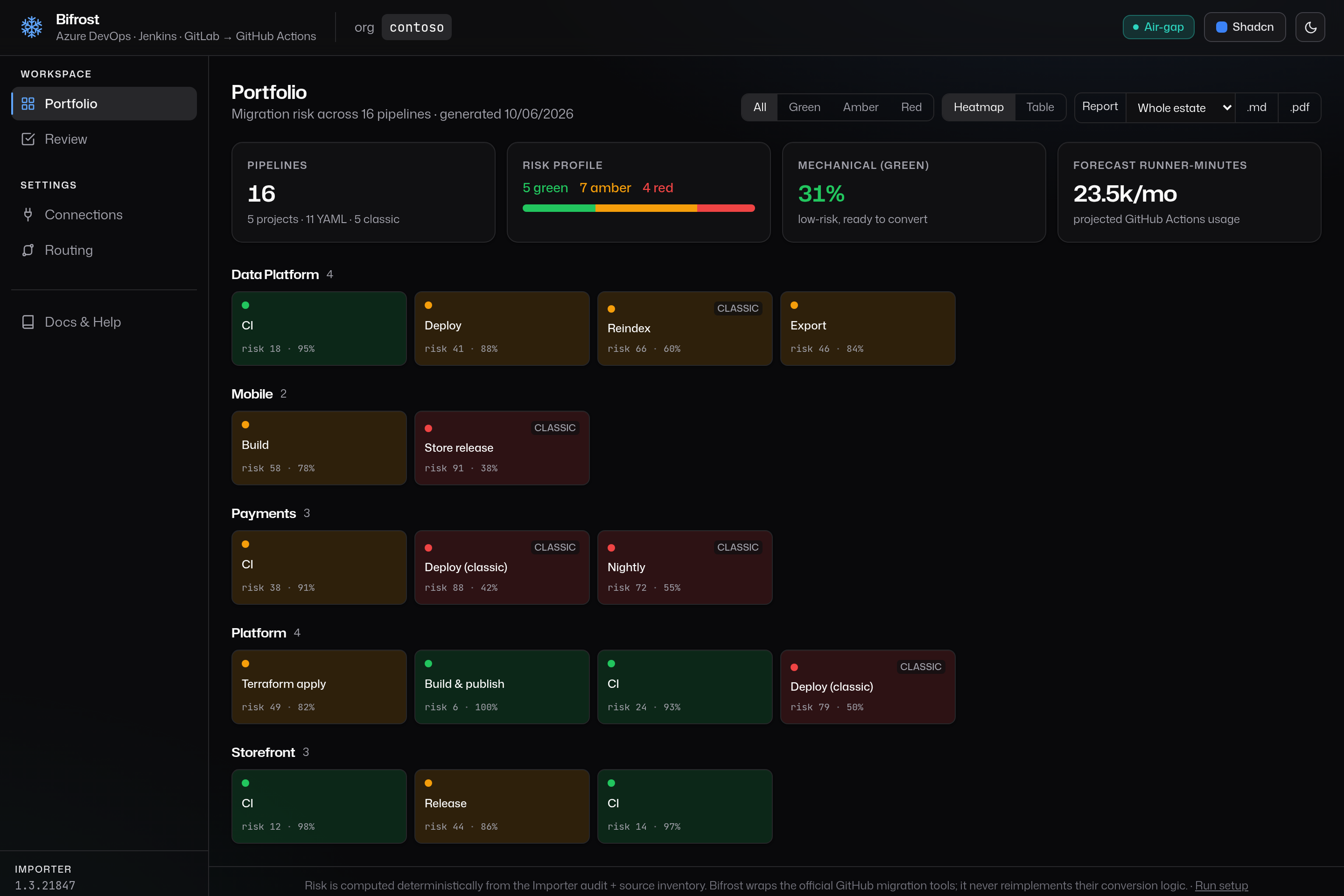
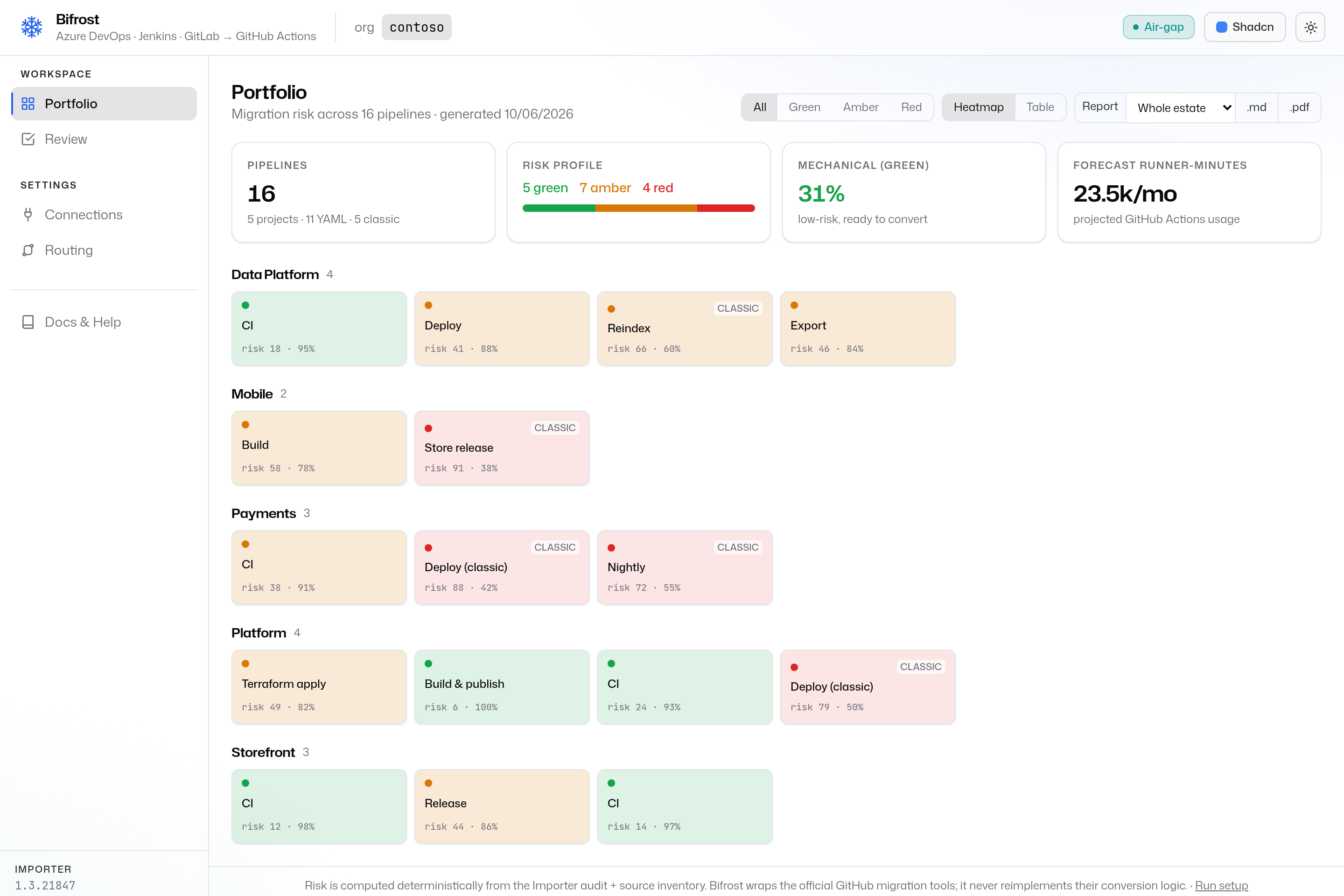
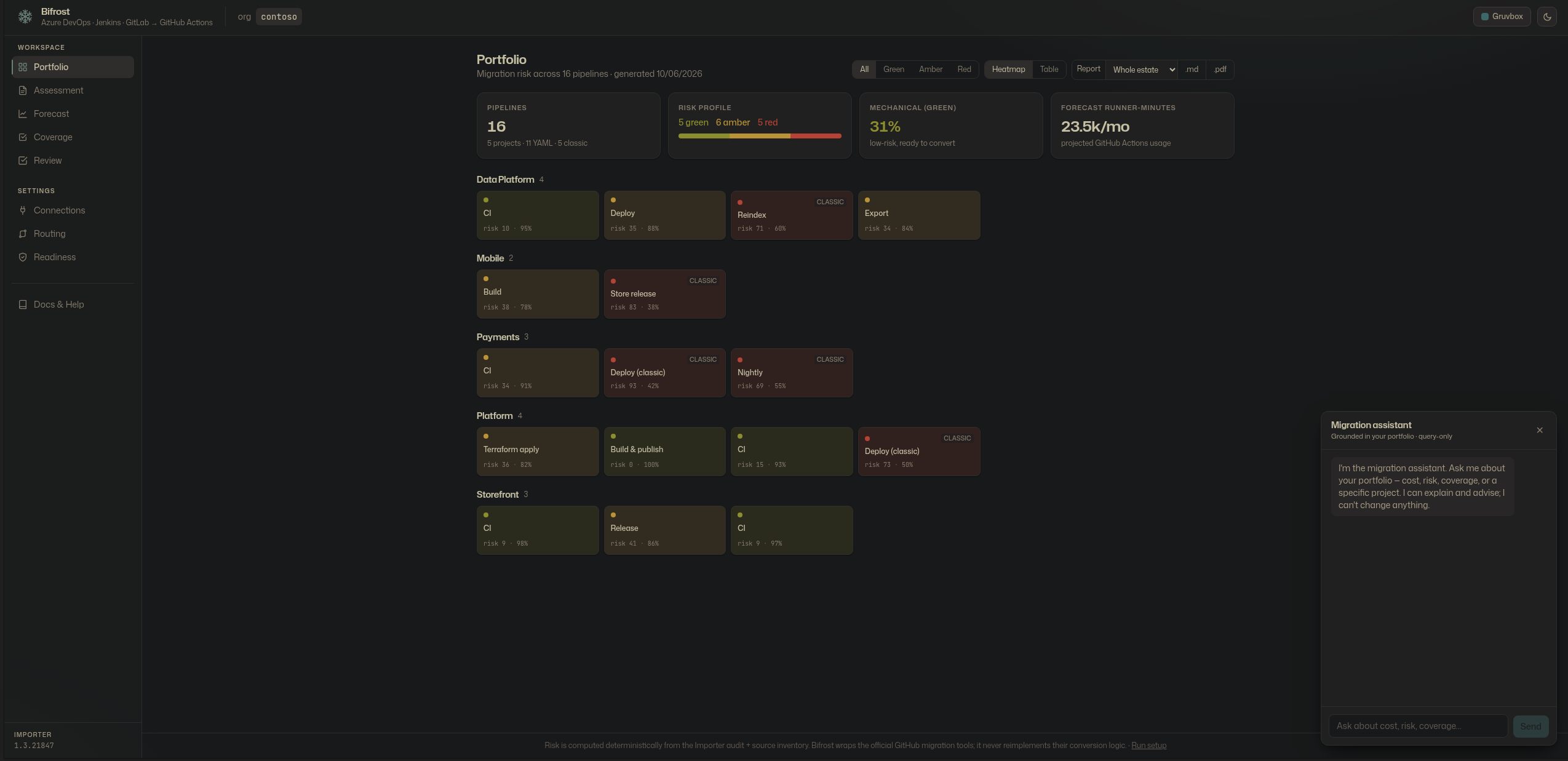
Point Bifrost at an Azure DevOps org and get a portfolio-scale heatmap of migration risk — grouped by project, coloured Green / Amber / Red, with the risk score and converted-ratio on every tile. Classic (designer) pipelines — the hard tail — are flagged distinctly. The top bar carries the audited org and whether air-gap mode is active; the pinned Importer version sits at the foot of the navigation rail as attestation metadata.
Deterministic risk, explained
Click any pipeline to see why it scored the way it did. The score is computed from weighted, explainable factors — container jobs, variable groups, service connections, multi-stage gates — never from the LLM. The model explains and fills gaps; it does not score.
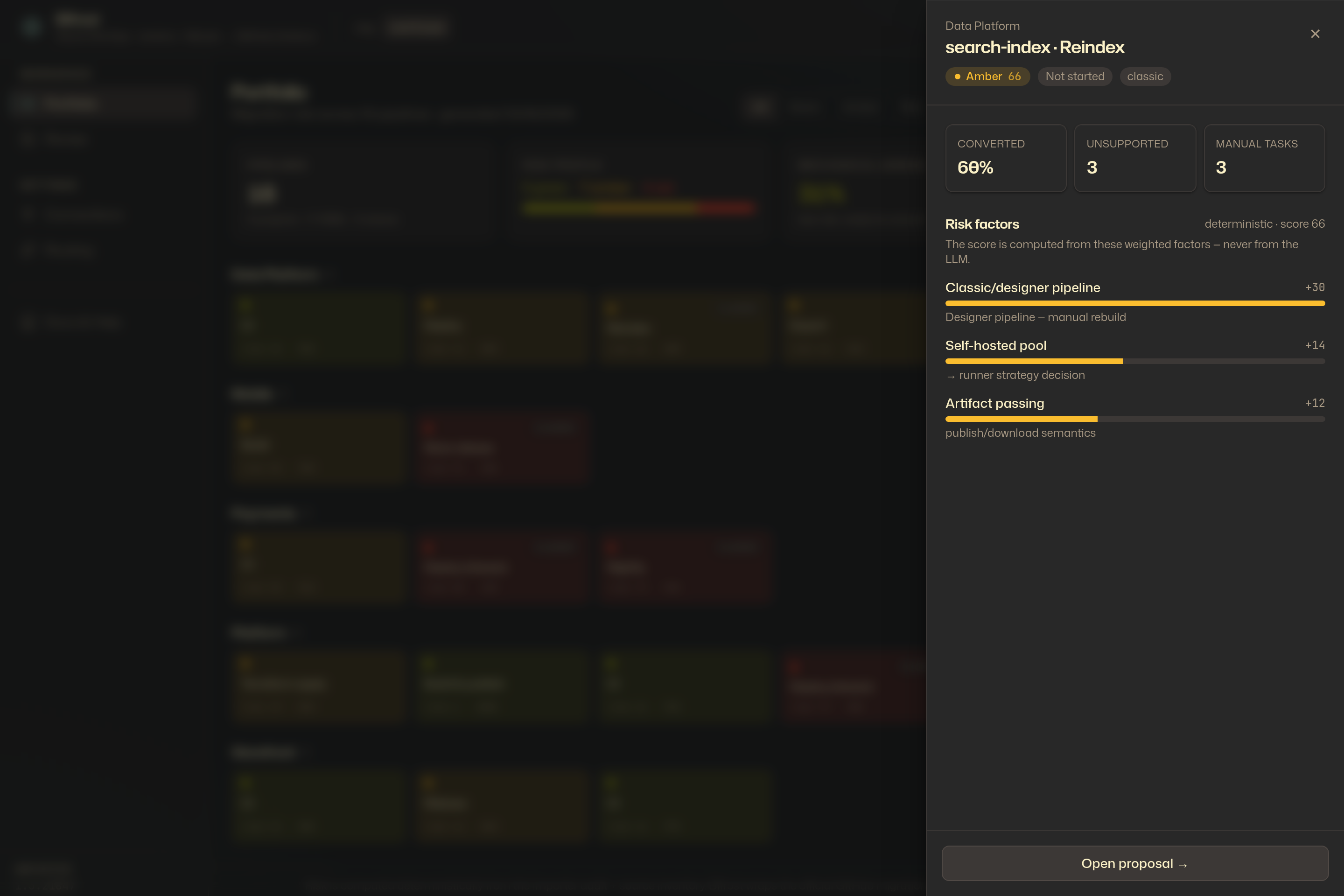
Table view
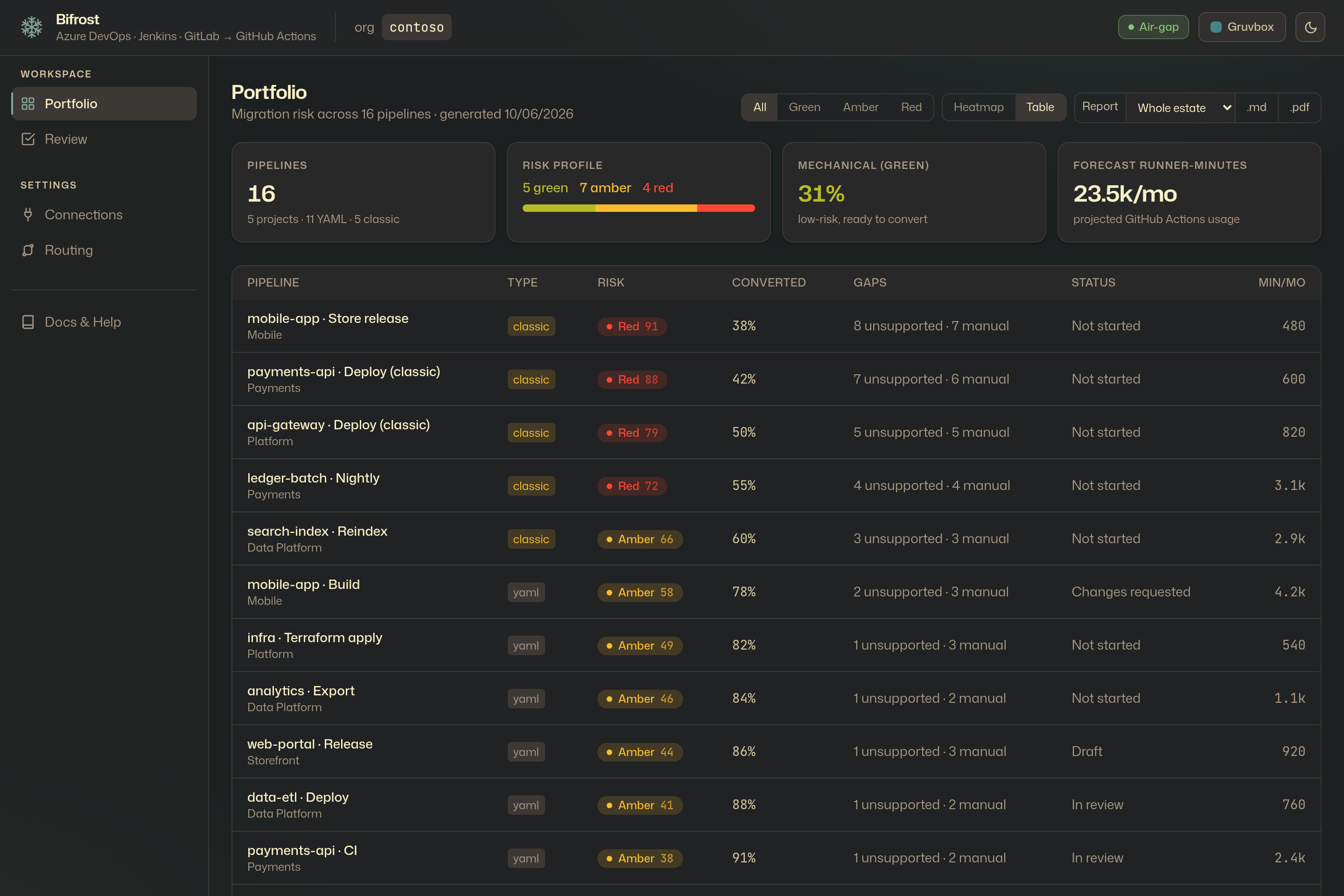
The same portfolio as a dense, sortable table — type, risk, converted-ratio, manual tasks, review status, and forecast runner-minutes per pipeline.
The three-pane review
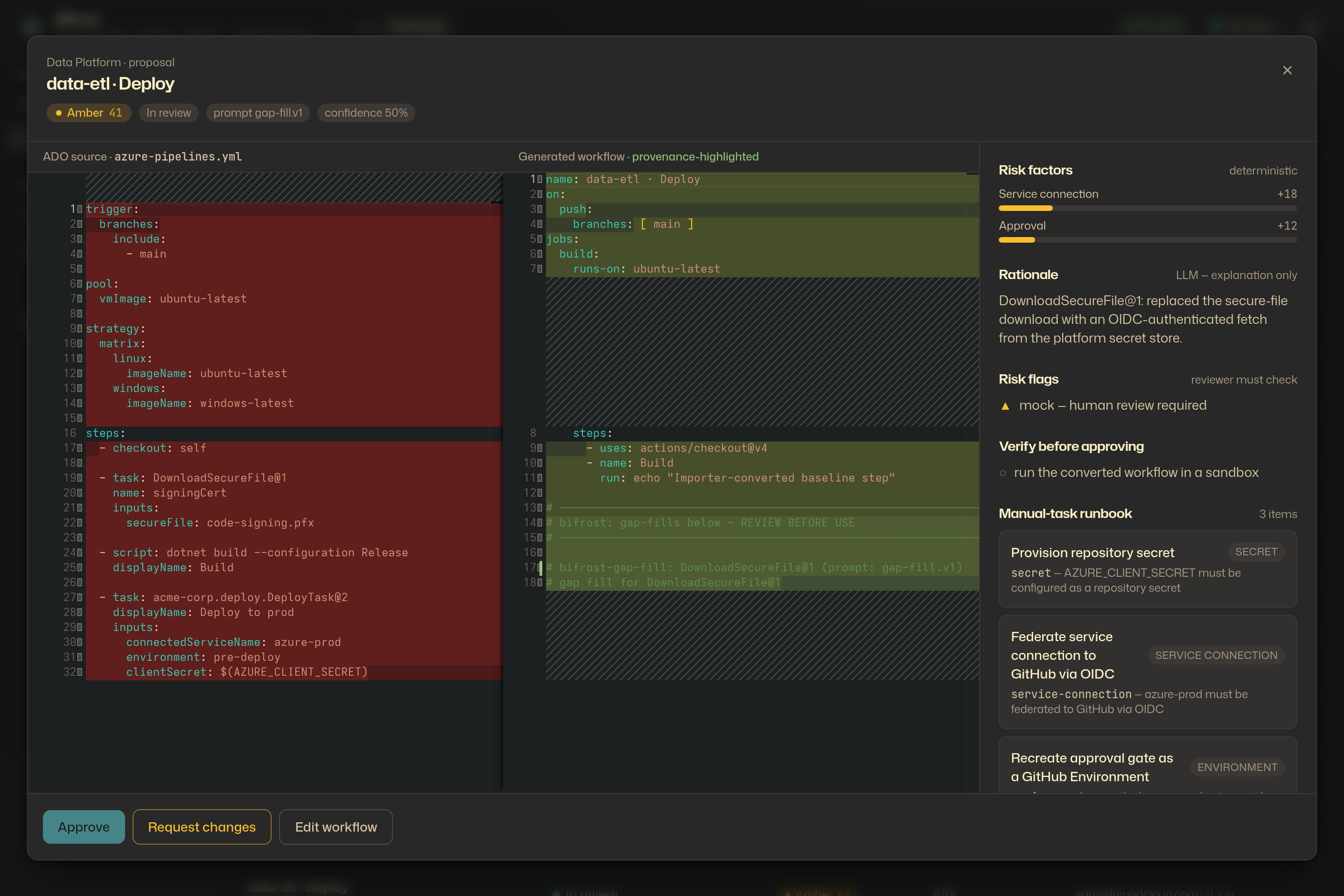
The heart of the review-first workflow. Left: the original ADO pipeline. Middle: the converted GitHub Actions workflow, with the gaps the LLM filled highlighted. Right: the rationale, the deterministic risk flags, the verify-before-approving steps, and the manual-task runbook. A reviewer approves, requests changes, or edits the workflow inline — before anything is committed. Pressing Escape closes the panel; nothing is changed by reviewing.
Review queue
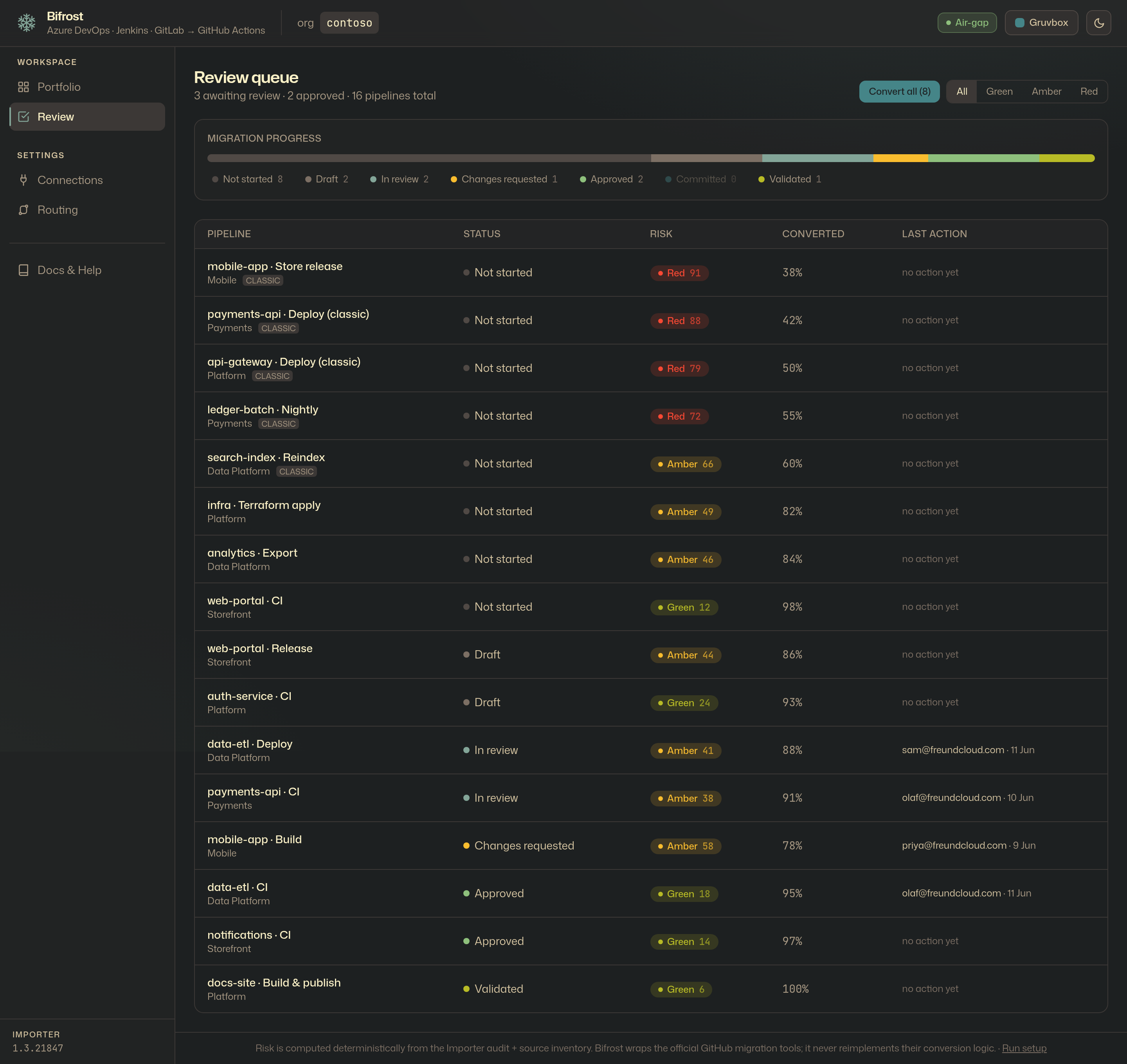
Every pipeline, tracked through the proposal lifecycle —
draft -> in_review -> approved -> committed -> validated — with a migration-progress bar and
the last action (who, when) on each row.
Connections
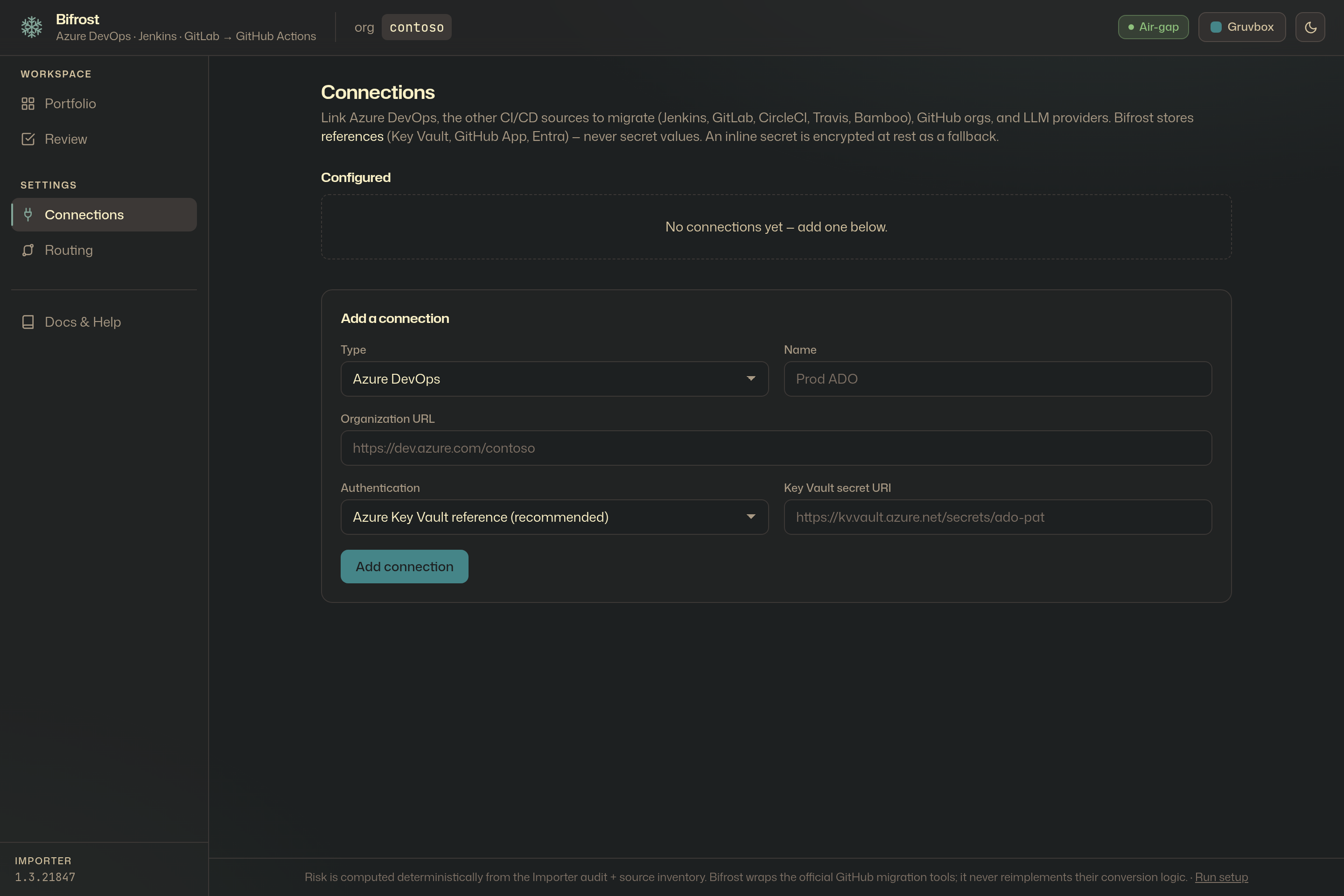
Settings keeps configuration separate from review. Link Azure DevOps, the other CI/CD sources to migrate (Jenkins, GitLab, CircleCI, Travis, Bamboo), GitHub orgs, and LLM providers. Bifrost stores references — Key Vault, GitHub App, Entra, or an env-var name — never secret values; an inline secret is encrypted at rest as a fallback.
Routing
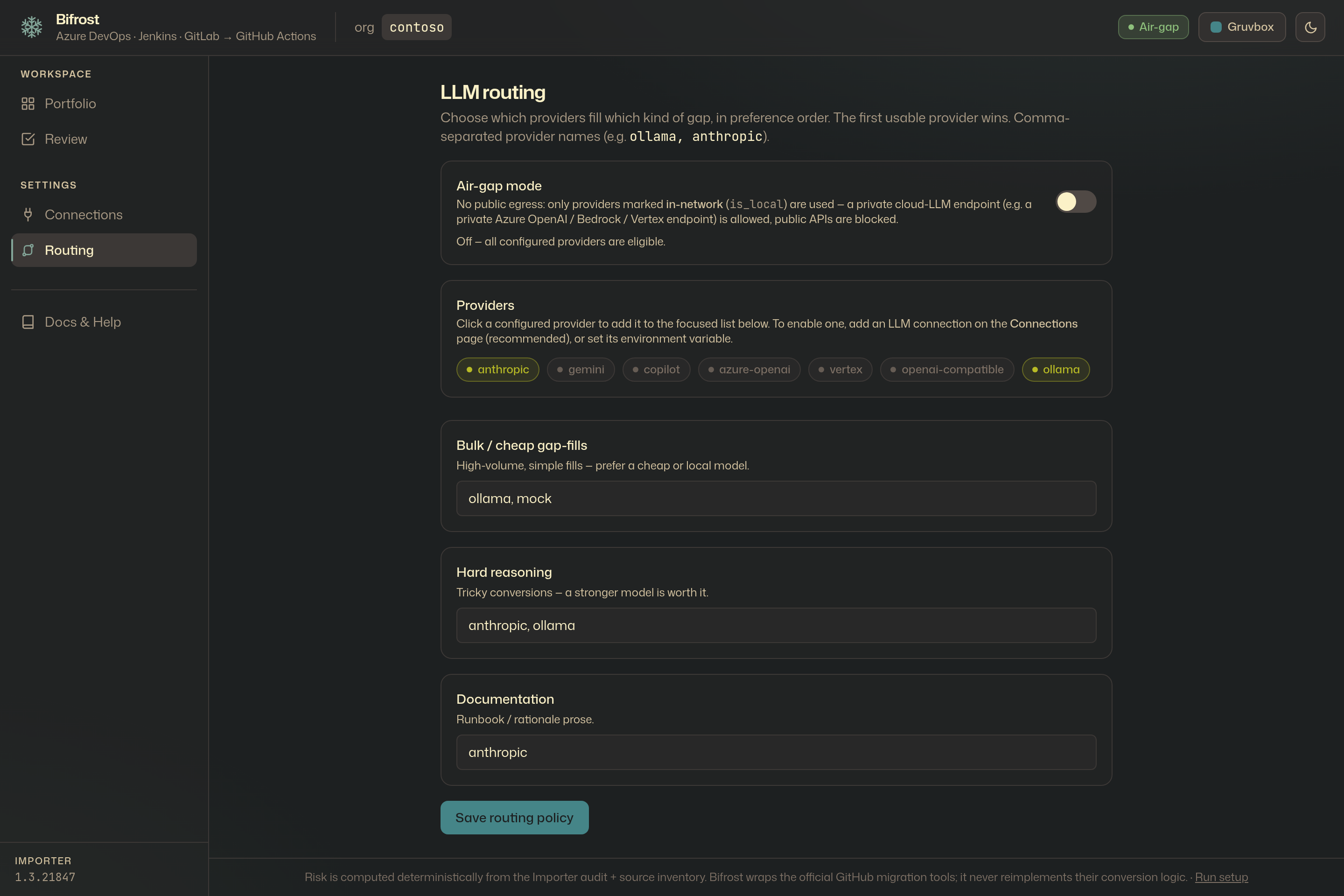
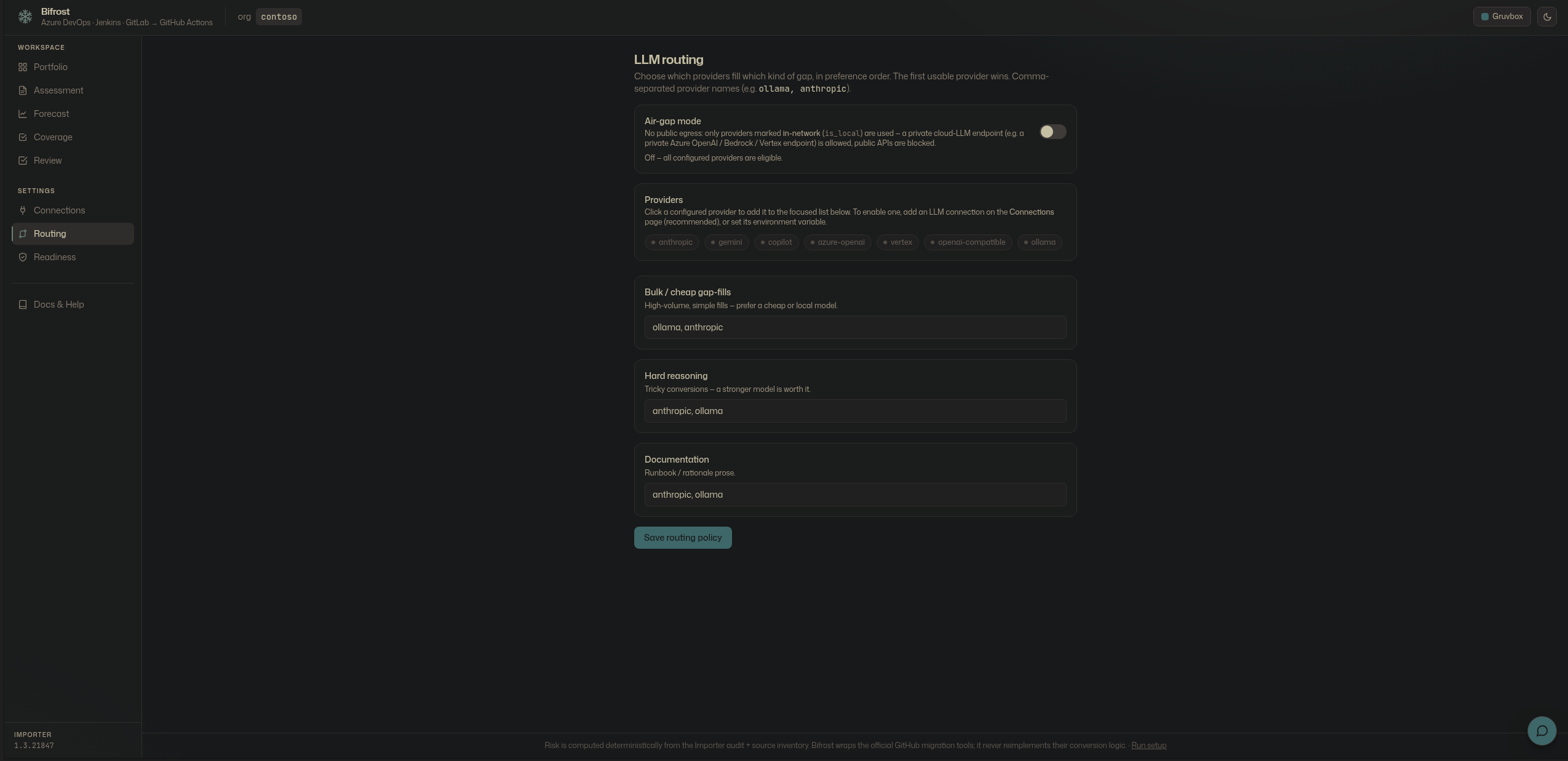
Decide which model handles which work: bulk and cheap conversions to a local or Haiku-class model, hard reasoning and documentation to a frontier model. In air-gap mode everything is forced local — no pipeline data leaves the box.
Themes
The portal ships two palettes — Gruvbox and a neutral shadcn-style palette — each in light and dark, switched from the top bar. Every surface is driven by the same semantic tokens, so the whole app re-themes instantly.
Pre-flight: assess, forecast, cover, ready
Before any change, four surfaces give a migration manager the full picture.
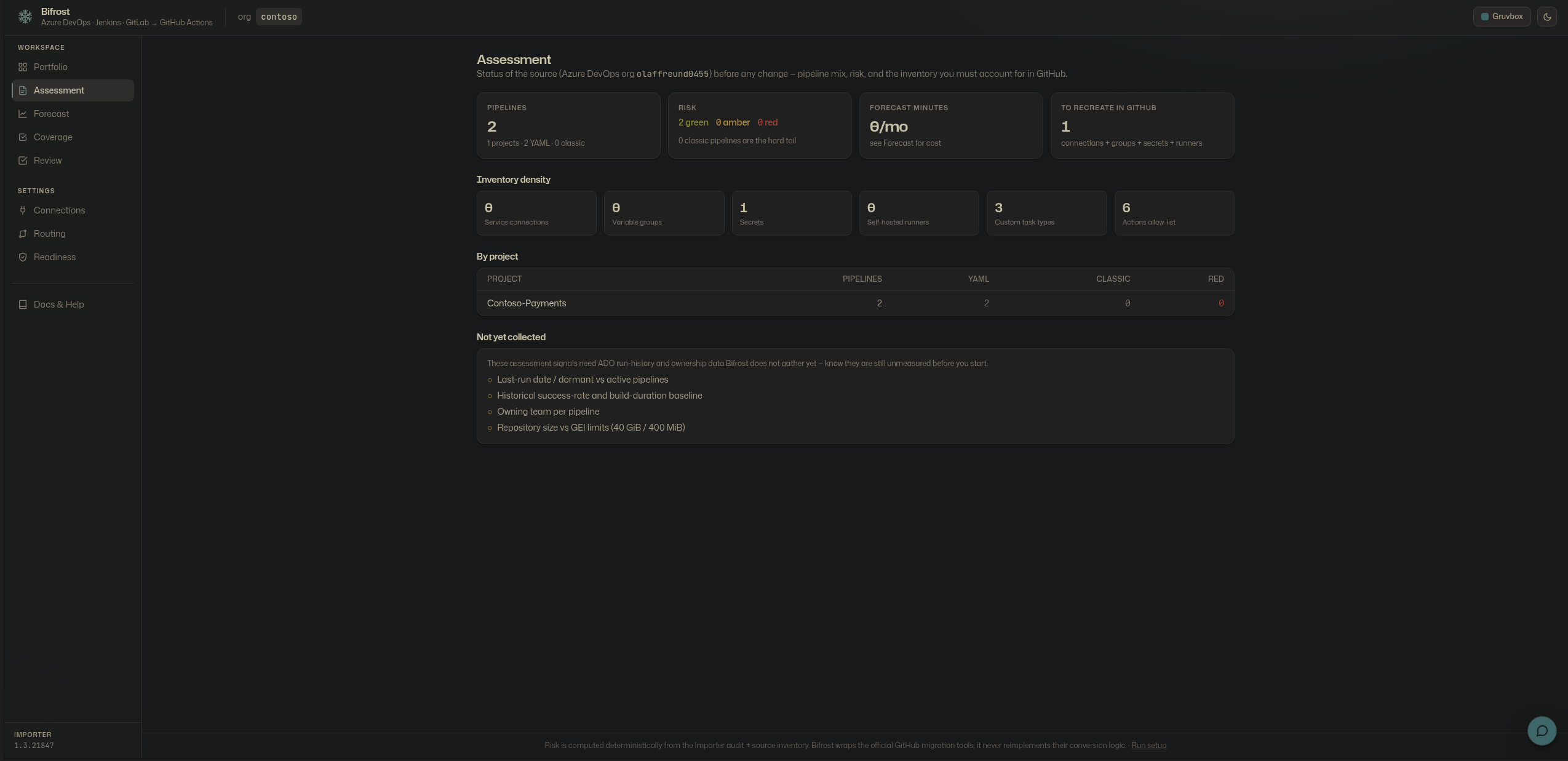
Assessment — the status of the source: pipeline mix, risk, and the inventory density (service connections, variable groups, secrets, runners, custom tasks) a program must account for.
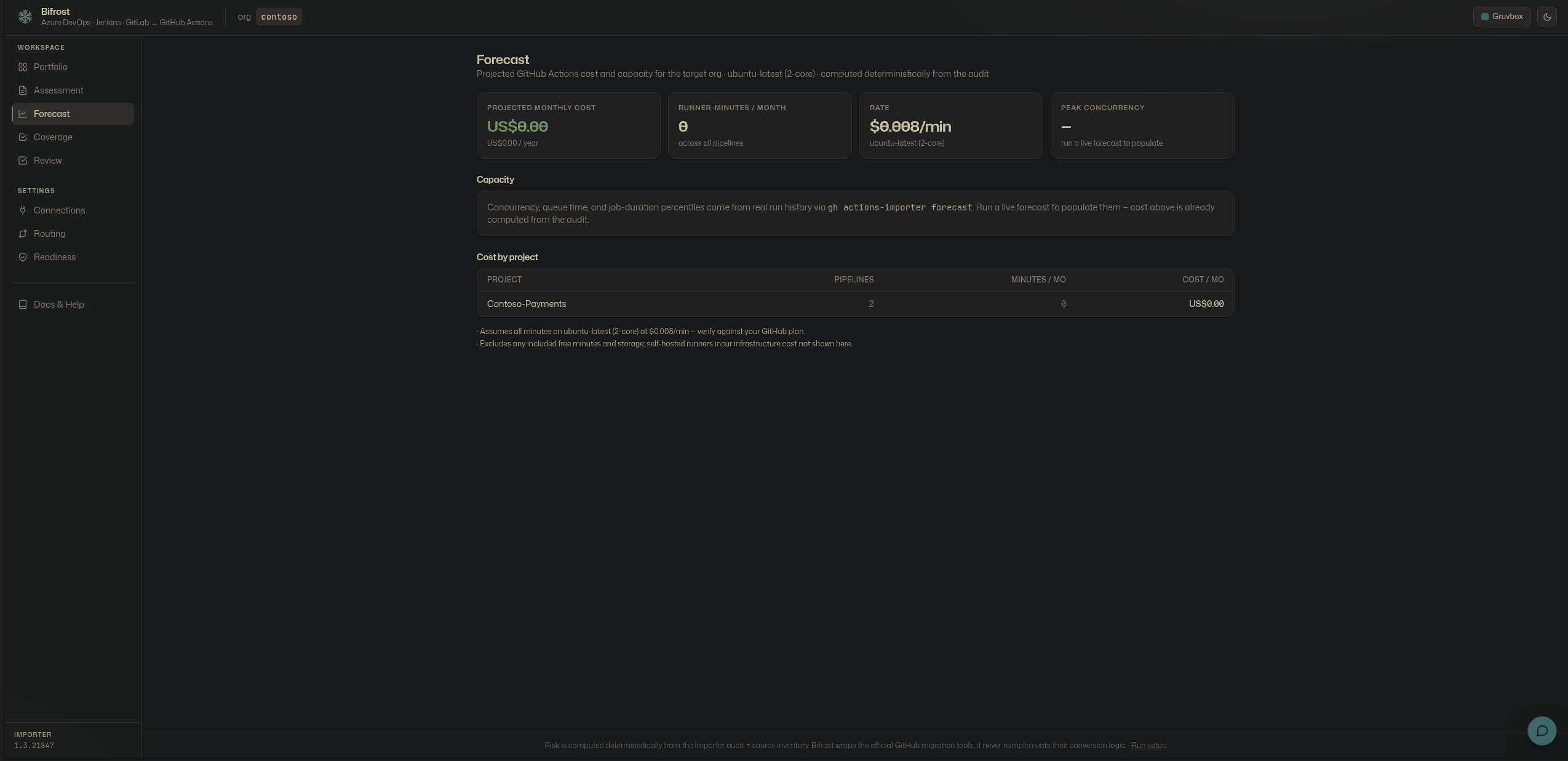
Forecast — what GitHub will cost and need, computed deterministically from the audit: monthly and annual cost, runner-minutes, and a per-project breakdown.
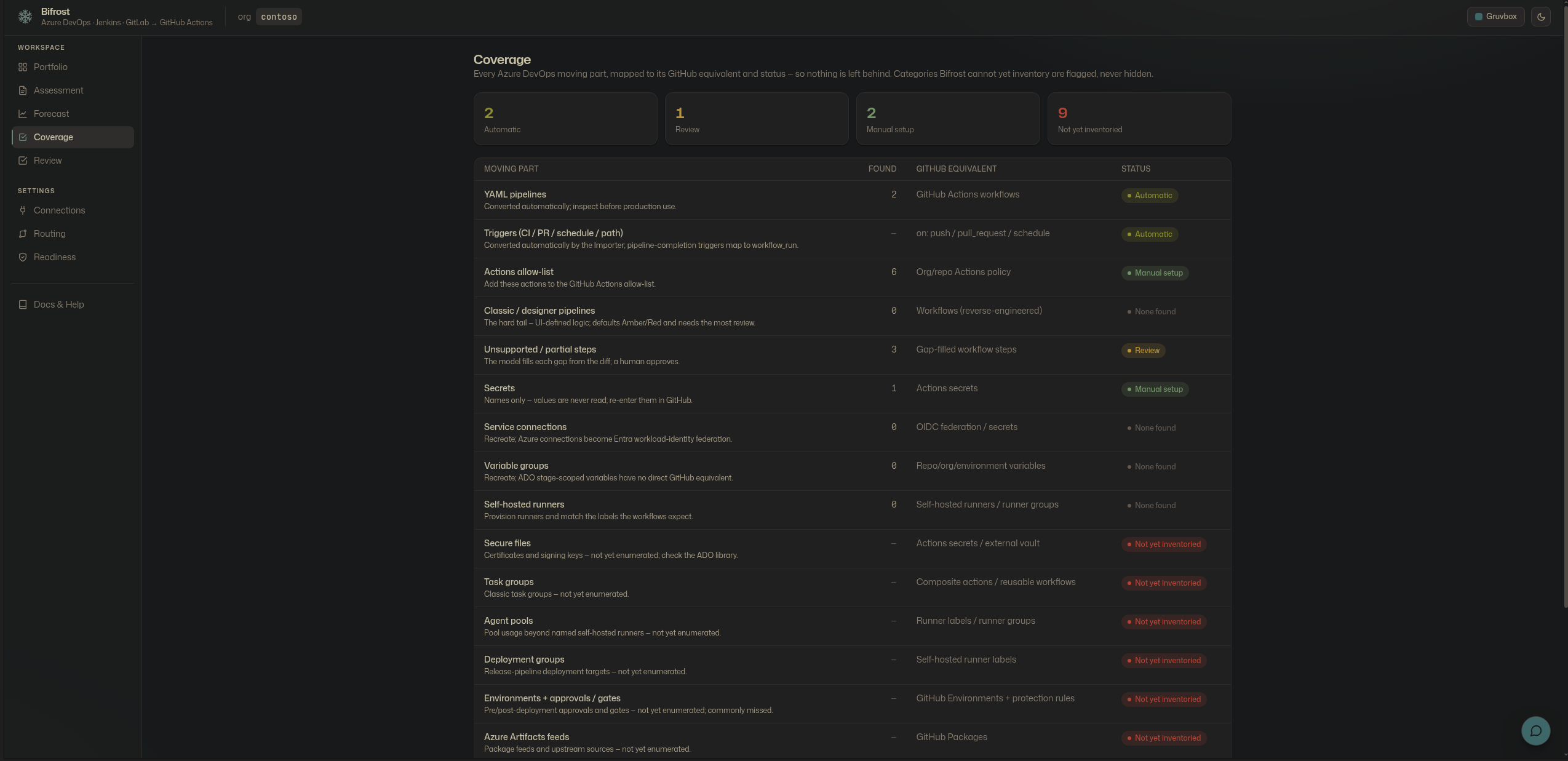
Coverage — every Azure DevOps moving part mapped to its GitHub equivalent and a status. Categories not yet inventoried are flagged, never hidden, so nothing is left behind.
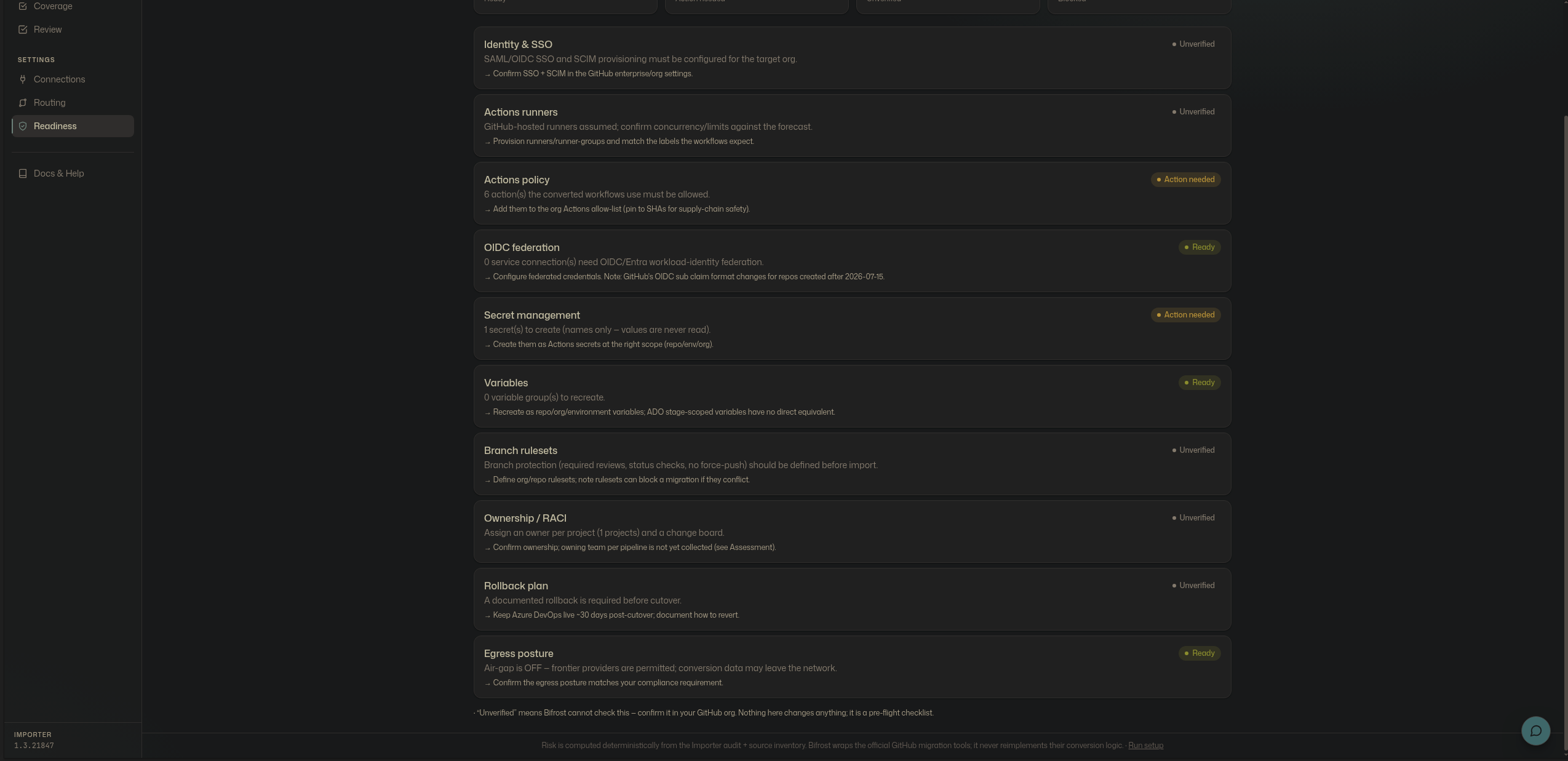
Readiness — is the target GitHub org ready to receive it: runners, Actions policy, OIDC federation, secrets, rulesets, ownership, and a rollback plan, each with a status.
The migration assistant
A grounded, query-only assistant answers questions about the migration — cost, risk, coverage — routed through whatever LLM is configured, so air-gap mode forces it local. It explains and advises; it cannot change anything.
Routing and air-gap
Decide which model handles which work — bulk and cheap to local or small models, hard reasoning to a frontier model. In air-gap mode everything is forced local; no pipeline data leaves the box.
Guided setup
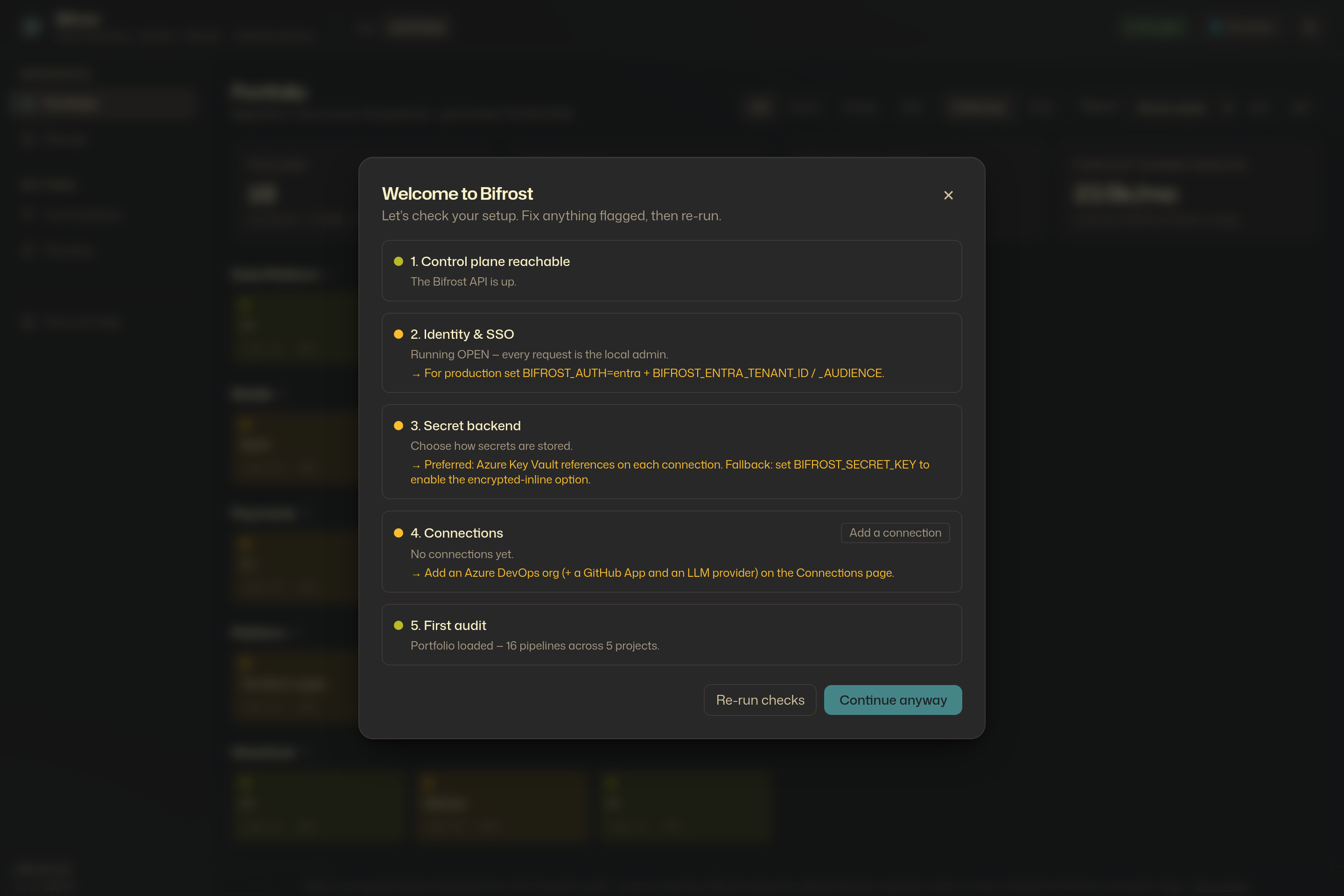
A first-run checklist verifies the control plane, identity, secret backend, connections, and the first audit — and links straight to whatever still needs configuring.
Docs and help, in the portal
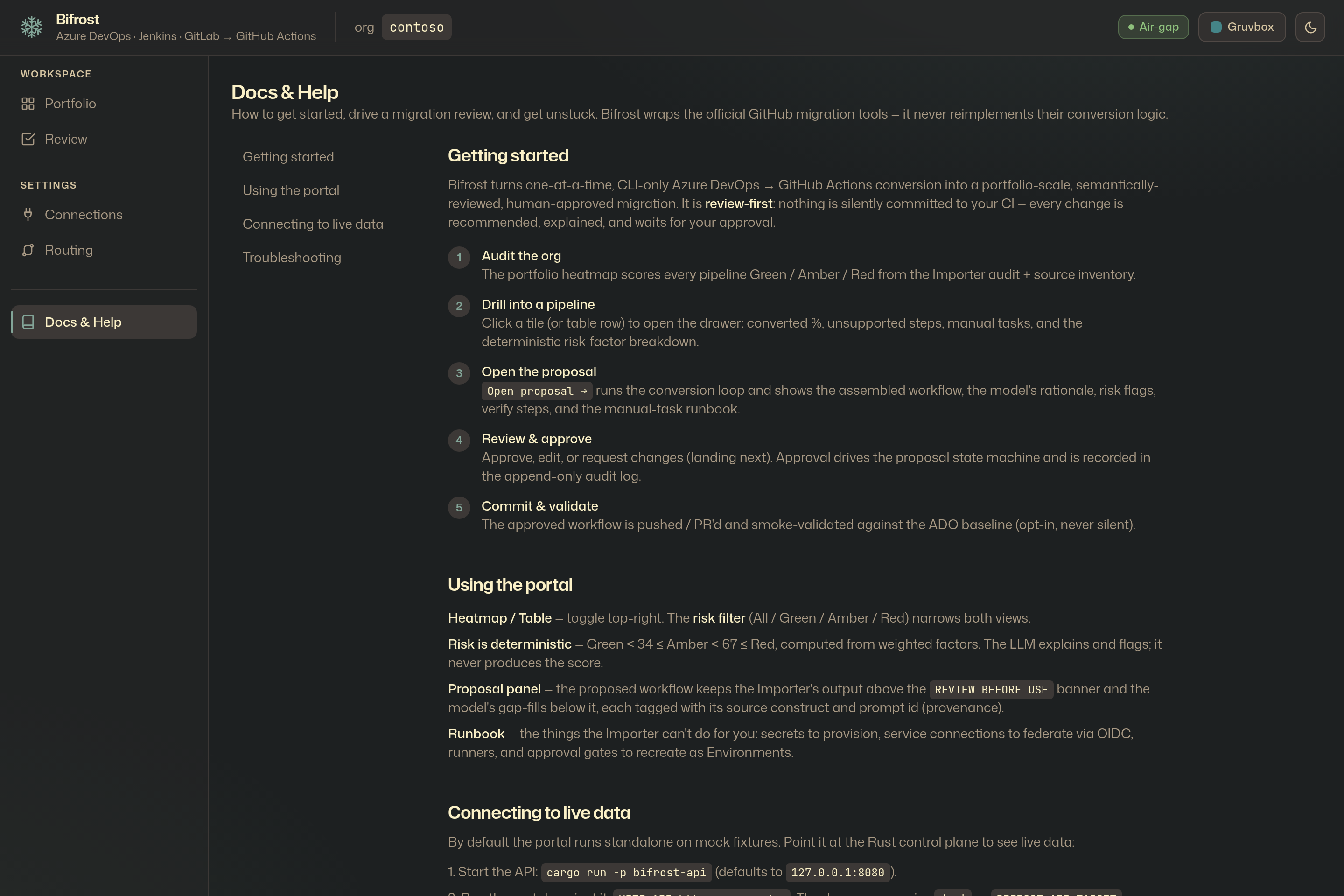
Operator documentation ships inside the portal itself — getting started, using the portal, and connecting to live data — so it travels with the tool, air-gapped or not.
Screenshots show Bifrost across its Gruvbox themes, against the synthetic
contoso sample and a small live Azure DevOps audit. No pipeline definitions or
secrets are shown — Bifrost records secret names and types only, never values.